Srisailam darshan ticket booking is done on the Andhra Pradesh government’s temple portal, tms.ap.gov.in. You log in with your mobile number, pick the temple, date, darshan type and slot, check the summary and pay online. Here is every screen in the order you will see it.
Quick answer
Go to tms.ap.gov.in, log in with an OTP, choose Darsanam and select the Srisailam temple, then your date, darshan type (Seeghra ₹150 or Sparsha ₹500) and slot. Enter the pilgrim name, check the booking summary and pay. Prefer WhatsApp? You can also book through the Mana Mitra number 9552300009.
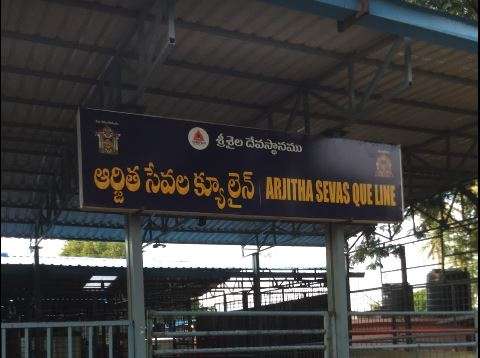
Before You Start Srisailam Darshan Ticket Booking
Keep a few things ready so that Srisailam darshan ticket booking goes smoothly: your mobile number (the OTP comes to it), the date you want, the name of the pilgrim, and a way to pay online. Slots are limited, so it helps to settle your dates before you open the portal. The steps below are the same whether you book from a phone or a laptop.
Srisailam Darshan Ticket Booking on tms.ap.gov.in: Step by Step
Step 1: Log in with your mobile number
Open tms.ap.gov.in. The home page shows four online services: Darsanam, Seva, Accommodation and Donation. Click Darsanam (or the Login button at the top right). A Pilgrim Login box opens and asks for your 10-digit mobile number. Choose either Get WhatsApp OTP or Get SMS OTP, then enter the OTP you receive.
Looking for a room in Tirupati?
Step 2: Select the temple
After login you land on a five-step booking page. The steps run Temple, Date, Type, Slot, Pilgrim. Open the “Select Temple” drop-down and choose Sri Bhramaramba Mallikarjuna Swamy varla Devasthanam Srisailam.
Step 3: Select the date
Two month calendars appear side by side, the current month and the next. The colours tell you what you can book:
- Green: available
- Grey: unavailable
- Red: quota full
- Orange: the date you have selected
When we checked on 5 October, dates from that day to 31 October were open for booking, and November was still greyed out. Click a green date.
Step 4: Choose the darshan type
Two darshan types are offered for Srisailam on the portal:
- Seeghra Darshanam: ₹150 per ticket. The page lets you book up to 5 tickets at a time.
- Sparsha Darshanam: ₹500 per ticket. You can book up to 2 tickets at a time.
Tick the one you want. If you have not yet decided between them, our guide to Srisailam Temple darshan types and timings explains what each one involves.
A tip on Sparsha: when we tried several dates in October, every Sparsha date showed “No slots available for this darsanam”. Sparsha slots go very fast, so check the portal as soon as you know your travel dates, and keep a Seeghra booking in mind as a fallback.
Step 5: Pick a slot and click Book Now
The slot list shows each time window, the tickets left and the price. For Seeghra Darshanam on 28 October, for example, the page offered three slots: 4:30 AM to 6:30 AM, 10:30 AM to 11:00 AM and 5:30 PM to 7:30 PM, each with about 250 tickets left at ₹150. Slots and seat counts change from day to day, so go by what you see on screen. Click Book Now on the slot you want. This is the point where Srisailam darshan ticket booking becomes a real hold on your seats, so choose the slot carefully.
Step 6: Set the number of tickets
A ticket counter opens, starting at 1. Use the plus and minus buttons to set how many tickets you need. The page shows “Max 5 ticket(s)” for Seeghra, and the Total Amount updates as you go, for example ₹300 for two Seeghra tickets.
Step 7: Enter the pilgrim details
Under Pilgrim Details, enter the Pilgrim Name (required). The Mobile Number is filled in from your login. Click Proceed to Confirm.
Step 8: Check the booking summary
The Booking Summary lists the temple name, date of darshan, darshan type, slot, your name, mobile number, number of tickets, price per ticket and total amount. Read it once more, especially the date and slot. You can click Edit Pilgrim Details to change something, Cancel Booking to drop it, or Proceed to Payment to continue.
Step 9: Pay and download your ticket
Click Proceed to Payment. A payment pop-up opens showing the service name (for example Seeghra Darshanam) and the payable amount, with a single gateway option: Bank of Baroda – Cards / Net Banking / UPI. Click it, pay using the method you prefer, and download your e-ticket once the payment is confirmed.
What to Carry on the Day
- A printout of your ticket, along with your phone. Entry is allowed only after the ticket is scanned.
- The original Aadhaar card of every person in the booking.
- Traditional dress. Men wear a dhoti or pancha with no shirt, and women a saree or chudidar with a dupatta, especially for Sparsha Darshanam.
Can I Book on WhatsApp Instead?
Yes. The Andhra Pradesh government’s Mana Mitra WhatsApp service on 9552300009 also issues Srisailam darshan tickets. The steps are different, with a chat menu instead of a website. If you would rather book from WhatsApp, that route is explained in our Srisailam WhatsApp booking guide.
Stay Safe: Book Only on the Official Portal
Fake booking sites and agents are common. The official portal is tms.ap.gov.in. The Endowments Department and the Srisailam Devasthanam never ask devotees to transfer money to a personal PhonePe or Google Pay account. Pay only inside the portal’s own payment page.
Frequently Asked Questions
What is the official website for Srisailam darshan ticket booking?
The official AP Temples Portal at tms.ap.gov.in.
How much are Srisailam Seeghra and Sparsha darshan tickets?
Seeghra Darshanam is ₹150 per ticket and Sparsha Darshanam is ₹500 per ticket.
How many tickets can I book at once?
The portal shows up to 5 tickets for Seeghra Darshanam and up to 2 for Sparsha Darshanam.
Why does the portal say “No slots available” for Sparsha?
It means no Sparsha slots are open for that date. Try another date.
Do I need an account to book?
You log in with your mobile number and an OTP, which you can choose to receive on WhatsApp or by SMS.
Om Namah Shivaya