
The 300 Darshan Ticket is the paid darshan most families use at Tirumala. This guide covers when TTD releases the 300 Darshan Ticket quota, how to book it online step by step, what to carry on the day, and what to do if it is sold out.
Quick Answer: TTD ₹300 Special Entry Darshan tickets are released 90 days in advance at ttdevasthanams.ap.gov.in. For the release date and time of every TTD quota, see our quota release dates page. Popular dates sell out within 20–30 minutes. Maximum 6 persons per booking. Tickets are non-transferable and non-cancellable.
📍 Ready to Book? Go Straight to the Official TTD Portal
All ₹300 Sarva Darshan slots are booked only at the official TTD e-seva site. No third-party app or agent can book these tickets for you.
Slots are released 90 days in advance. Step-by-step process is below.
Looking for a room in Tirupati?
What is TTD ₹300 Special Entry Darshan?
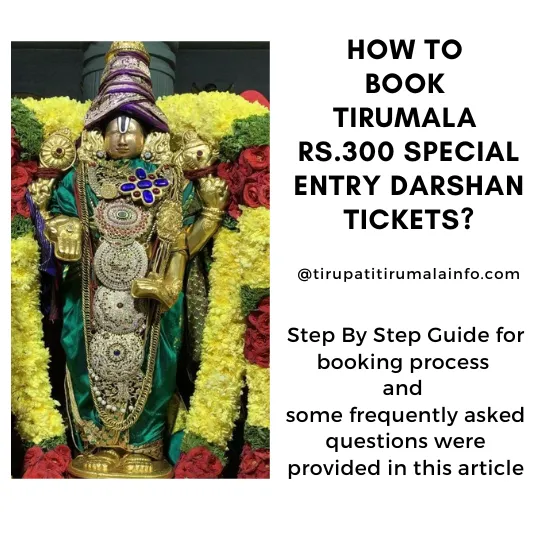
The ₹300 Special Entry Darshan (also called Seeghra Darshan) is the most popular paid darshan ticket at Tirumala. Compared to the free Sarva Darshan which can take 8–24 hours of waiting, the ₹300 ticket gives you a specific reporting time slot and a significantly shorter queue — typically 2–3 hours for the entire darshan.
| Feature | ₹300 Special Entry Darshan | Free SSD Token Darshan |
|---|---|---|
| Cost | ₹300 per person | Free |
| Booking | Online, 90 days in advance | Offline at counter, day before darshan |
| Waiting time | 1–3 hours at Tirumala | 3–6 hours at Tirumala |
| Dress code | Strict — dhoti (men), saree or salwar with dupatta (women) | Strict — no jeans/T-shirts |
| Max persons per booking | 6 persons | No limit (per token counter visit) |
When Does TTD Release the 300 Darshan Ticket Quota?
Quota is released 90 days in advance. TTD announces the exact date and time of each release, so check our quota release dates page for the timing of every quota.
- Example: Tickets for September 1 are released on June 3
- Log in a few minutes before the release opens, and keep your details ready
- Popular dates (weekends, festival months) sell out within 20–30 minutes — sometimes faster
- The entire month’s quota for a popular month can be exhausted the day it opens
Check upcoming quota release dates: TTD Darshan Quota Release Updates →
300 Darshan Ticket Booking – Step by Step
- Go to ttdevasthanams.ap.gov.in and log in with your mobile number and OTP. Note: OTP is not delivered to foreign phone numbers. Only Indian numbers are supported.
- From 1 phone number you can book for a maximum of 6 persons at a time. You cannot reuse the same phone number and email for another booking within the same month.
- A virtual queue screen timer will appear — do not refresh the page. Wait for the next screen.
- Click on the Special Entry Darshan icon to see the availability calendar.
- Green = available
- Yellow = filling fast
- Red = quota full
- Blue = quota not yet released
- Select your preferred date and time slot. Click Continue.
- Enter the ID proof details for each person (Aadhaar number and name).
- Complete payment in the final screen.
- Download your ticket immediately after payment. If you miss downloading it, retrieve it later by entering your mobile number at ttdevasthanams.ap.gov.in.
300 Darshan Ticket – On the Day, Where to Report
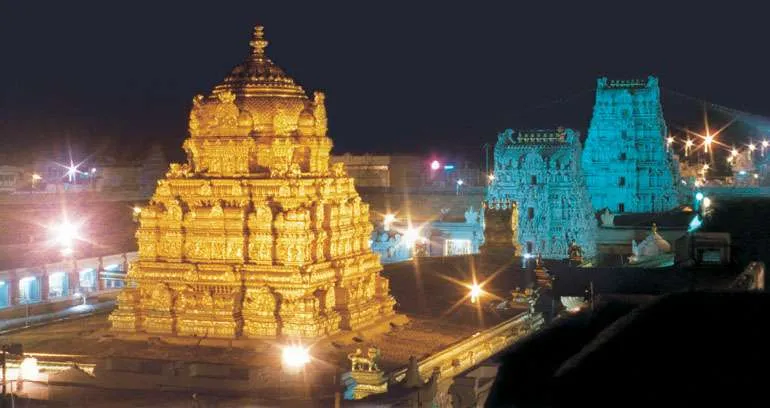
- Reporting location: ATC Car Parking, Tirumala
- Report at least 30 minutes before your booked time slot
- Carry original Aadhaar card of all persons mentioned on the ticket — face ID verification is done
- Ensure all persons are dressed in traditional attire (dhoti for men, saree or salwar kameez with dupatta for women) — enforcement is strict
- Darshan typically completes in 2–3 hours from reporting time
Collect your laddus before you leave Tirumala. The laddu counters are open 24 hours, but prasadam must be collected within 24 hours of your darshan time — after that it is not issued at all. Details and the extra-laddu limit are on our Tirumala extra laddu page.
What to Do If the 300 Darshan Ticket Is Sold Out
- Check adjacent dates — weekday slots often have more availability than weekends
- Try the ₹500 Seeghra Darshan — a faster paid darshan option also available online
- Get SSD tokens — free, offline, available at 3 Tirupati counters. See: SSD Token Counters Guide
- Check for cancellations — TTD occasionally releases cancelled slots; check the portal a few days before your visit
- APTDC/APSRTC tour packages — some government tour packages include SSD darshan assistance
300 Darshan Ticket – Common Problems and Solutions
| Problem | Solution |
|---|---|
| Payment failed but amount deducted | Amount is auto-refunded within 5–7 working days. Check your bank statement. |
| OTP not received | Check if your number is Indian. Try again after 2 minutes. Ensure SMS is not blocked. |
| Ticket not received on email | Log in again and go to “My Bookings” to download the ticket directly. |
| Name entered incorrectly on ticket | TTD does not allow corrections. However, face verification is the primary check — carry original Aadhaar for each person. |
| Virtual queue timer stuck / slow | Do not refresh. High traffic on release day causes slowness. Wait patiently. |
300 Darshan Ticket – Frequently Asked Questions
Do I get laddus with a 300 Darshan Ticket?
Laddus are issued after darshan at the laddu counter. Whatever you are entitled to, collect it within 24 hours of your darshan time — after that it is not given at all. See our Tirumala extra laddu page for the limits and cost.
Can I change the date on a 300 Darshan Ticket?
No. The ticket is issued for a specific date and time slot, and the slot is tied to the people named on it. If your plans change you would need to book afresh, subject to availability.
Is the 300 Darshan Ticket the same as SRIVANI or VIP break darshan?
No. They are separate schemes with different costs and entry routes. If the 300 quota is gone, compare the alternatives on our SSD token and SRIVANI VIP break darshan pages.
Can we cancel Tirumala ₹300 darshan tickets?
No. Cancellation, postponement, or preponing is not possible once booked. The ticket is valid only for the specific date and time slot booked.
Can others use my ₹300 darshan ticket?
No. Tickets are not transferable. The person named on the ticket must carry their original Aadhaar for face ID verification at the entry gate.
Can I use the ticket on a different date?
No — except in rare cases where TTD officially announces date change due to natural calamities. Such announcements are made on the TTD official website.
How early should I arrive at Tirumala for ₹300 darshan?
Report at ATC Car Parking, Tirumala, at least 30 minutes before your booked time slot. Build in extra time if coming from Tirupati town (bus takes 45–60 minutes).
What ID proof is accepted for ₹300 darshan?
Aadhaar card is the primary and most commonly accepted ID proof. Carry the original for all persons on the ticket.
How many hours does ₹300 darshan take?
Typically 2–3 hours from reporting time to completing darshan and exiting the temple.
Can I book ₹300 tickets from outside India?
The TTD booking system requires an Indian mobile number for OTP. Foreign nationals visiting India should use an Indian SIM. NRIs visiting Tirumala have a separate NRI Darshan facility.
Also Read:
Types of Tirumala Darshan – All 12 Options
TTD Darshan Ticket Quota Release Updates
Free SSD Token Counters in Tirupati
More on Tirumala Darshan & Booking
- All Darshan Types at Tirumala — compare ₹300, SSD, Sudarshana, and VIP break darshan options.
- VIP Break Darshan Guide — for pilgrims who want a shorter queue without an SSD token.
- SSD Token Counters at Tirumala — free next-day darshan tokens; how and where to collect them.













5
The darshan ticket of Rs 50/- which was given earlier, has that ticket of Rs 50/- now been discontinued?
Rs. 50 tickets are discontinued long back.
You can refer this link for the available ticket types now – https://tirupatitirumalainfo.com/tirupati-tirumala-darshan/